
Most Xiaomi, Redmi, and POCO users in Bangladesh complain about two major things: phone lag after updates and unwanted ads/notifications popping up everywhere.
The good news? You don’t need a new phone. Xiaomi hides several background tracking, ad-serving, and battery-draining settings inside HyperOS and MIUI by default. Turning these off takes less than 3 minutes and will immediately speed up your phone, stop background battery drain, and clean up your notification shade.
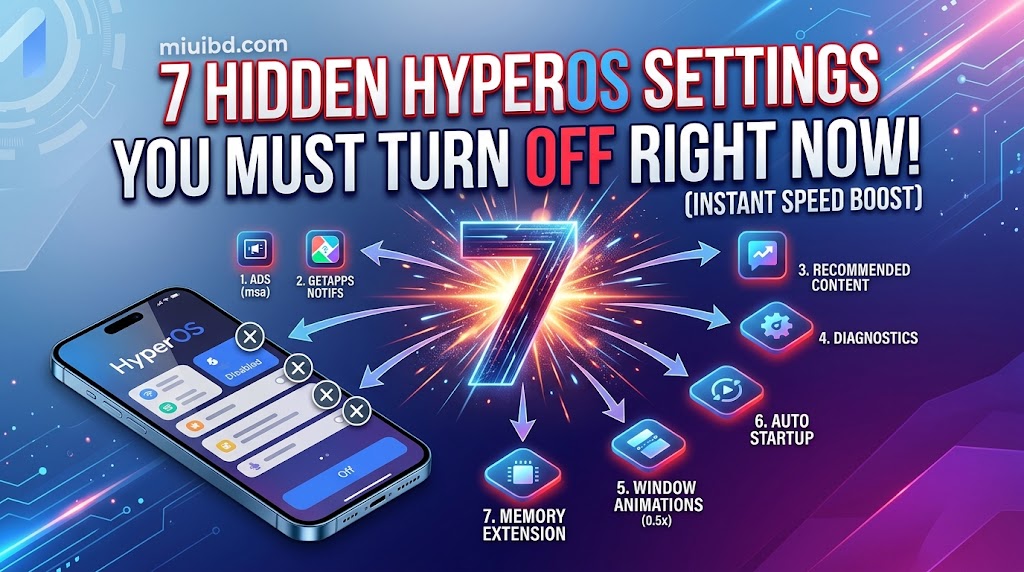
1. Disable System Ads (msa – MIUI System Ads)
Xiaomi includes a background service called msa specifically to push banner ads inside system apps like File Manager, Cleaner, and Downloads.
- How to turn it off:
- Go to Settings ➔ Passwords & Security ➔ Authorization & Revocation.
- Find msa and toggle it OFF.
- Wait 10 seconds and tap Revoke.
2. Turn Off “GetApps” Notifications & Background Downloads
The default Xiaomi app store continuously runs in the background, consuming RAM and sending spam notifications daily.
- How to turn it off:
- Open GetApps ➔ Profile (bottom right) ➔ Settings (gear icon).
- Turn off Auto-updates, Update Notifications, and Installation Notifications.
3. Stop System Apps From Showing Personalized Ads
Even after revoking msa, individual apps like File Manager, Themes, and Security have their own “Recommendations” toggles.
- How to turn it off:
- Open File Manager ➔ Settings ➔ About ➔ Turn OFF Recommendations.
- Open Security App ➔ Settings (top right) ➔ Turn OFF Receive Recommendations.
- Open Themes ➔ Profile ➔ Settings ➔ Turn OFF Show Ads and Personalized Recommendations.
4. Turn Off Background Usage Access & Diagnostic Tracking
Xiaomi collects continuous usage analytics to serve targeted ads, which drains your battery overnight.
- How to turn it off:
- Go to Settings ➔ Privacy ➔ Usage & Diagnostics.
- Toggle Usage & diagnostics to OFF.
- Go back to Passwords & Security ➔ Privacy ➔ Turn OFF Ad Services (Personalized ad recommendations).
5. Adjust Window Animation Scales for Instant Touch Response
If your phone feels slow when opening apps or switching between tasks, scaling down animations will make your phone feel twice as fast.
- How to turn it off:
- Go to Settings ➔ About Phone ➔ Tap HyperOS/MIUI Version 7 times until Developer Options are enabled.
- Go to Settings ➔ Additional Settings ➔ Developer Options.
- Scroll down to find:
- Window animation scale ➔ Set to 0.5x
- Transition animation scale ➔ Set to 0.5x
- Animator duration scale ➔ Set to 0.5x
6. Turn Off Auto Startup for Unnecessary Apps
Apps like Facebook, Messenger, Telegram, and Daraz auto-start as soon as you reboot your phone, holding your RAM hostage.
- How to turn it off:
- Go to Settings ➔ Apps ➔ Permissions ➔ Autostart (or Background Autostart).
- Disable autostart for all apps except essential messaging apps (like WhatsApp or IMO).
7. Disable Memory Extension (Virtual RAM) If You Have 8GB+ RAM
While Virtual RAM sounds great on paper, using slow storage (ROM) as temporary RAM actually introduces micro-stutters and speeds up storage wear-and-tear.
- How to turn it off:
- Go to Settings ➔ Additional Settings ➔ Memory Extension.
- Select Off and reboot your phone. (Note: Keep it ON only if your phone has 4GB or less physical RAM).
💡 The Result
After applying these 7 quick tweaks, restart your phone. You will notice:
- 0 System Ads in File Manager, Cleaner, or Themes.
- Smoother App Launching with zero stuttering.
- Up to 20% Better Battery Life overnight.
Have questions or stuck on a step? Leave a comment below, and the MIUI BD team will guide you!